
Guide
How to Download YouTube Videos for Free: Step-by-Step Guide (2026)
Updated Oct 8, 2026
Learn how to download YouTube videos for free with FrontendGeek’s browser-based downloader — no desktop app required. This guide covers online steps, phone and Windows/Mac tips, quality options, FAQs, and when downloads are allowed.
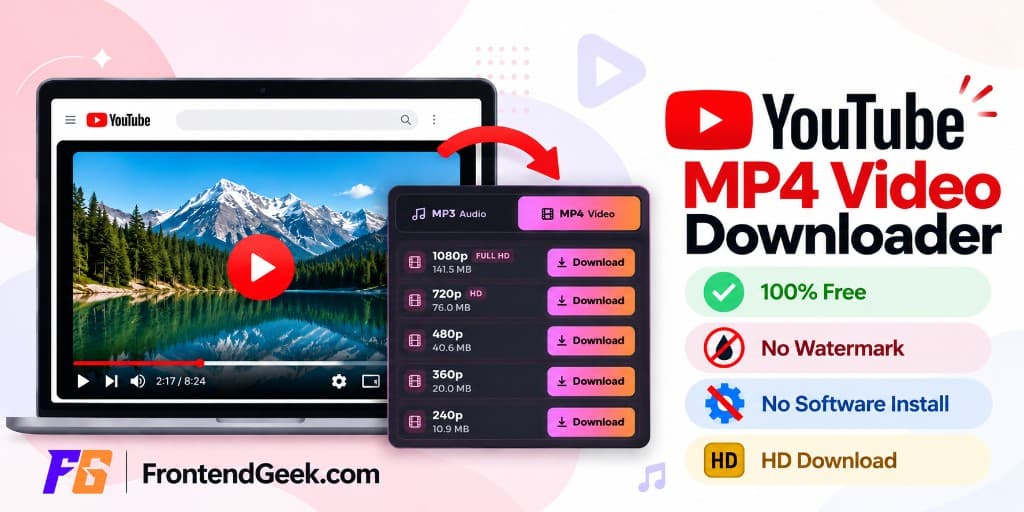
Free YouTube Download Tools
When You Can Download YouTube Videos for Free
You can download YouTube videos for free when you have the right to keep a copy — for example your own uploads, videos a creator has explicitly made available for download, or other material you have permission to save. Outside those cases, treat downloads carefully and respect copyright.
YouTube Premium’s offline mode is different: it lets you watch inside the app, but it does not give you a free MP4 file on your device. For permitted content, a browser-based YouTube Video Downloader is a free way to paste a link, pick a quality, and Instant Download an MP4 without installing desktop software.
- Your own uploaded videos
- Videos the creator has made available for download
- Content you have explicit permission to save offline
- YouTube Premium offline — in-app only, not a free MP4 file
- Always respect copyright and creator permissions
How to Download YouTube Videos Online for Free
Use FrontendGeek’s free YouTube downloader in any modern browser. Instant Download may ask for a free sign-in. No paid app and no browser extension are required. For landscape watch pages you can also convert to MP4 online; for vertical Shorts, use the Shorts tool.
- 1
Step 1: Copy the YouTube video URL
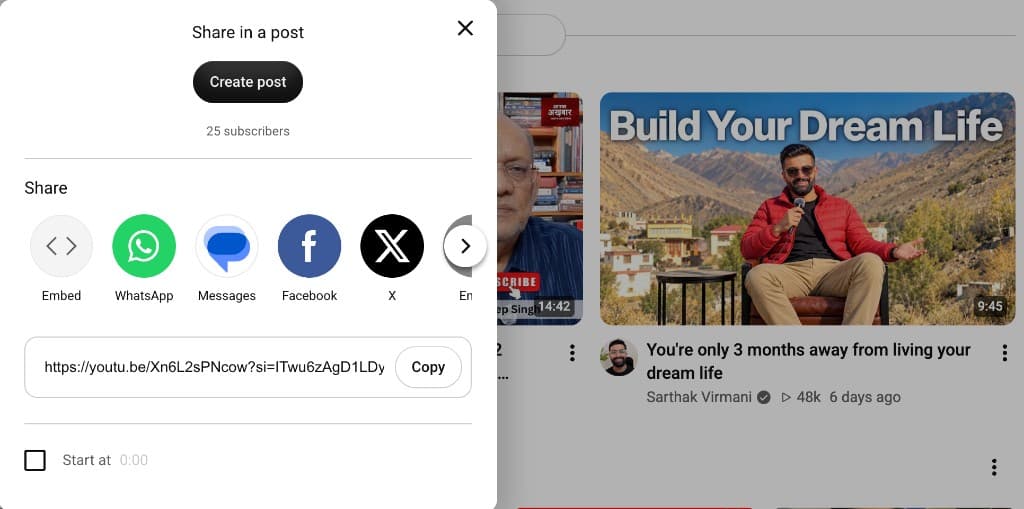
Open YouTube, find the video, and copy the URL from the address bar or the Share menu. Use a watch, youtu.be, or /shorts/ link — not a playlist-only or channel URL.
- 2
Step 2: Open the free downloader
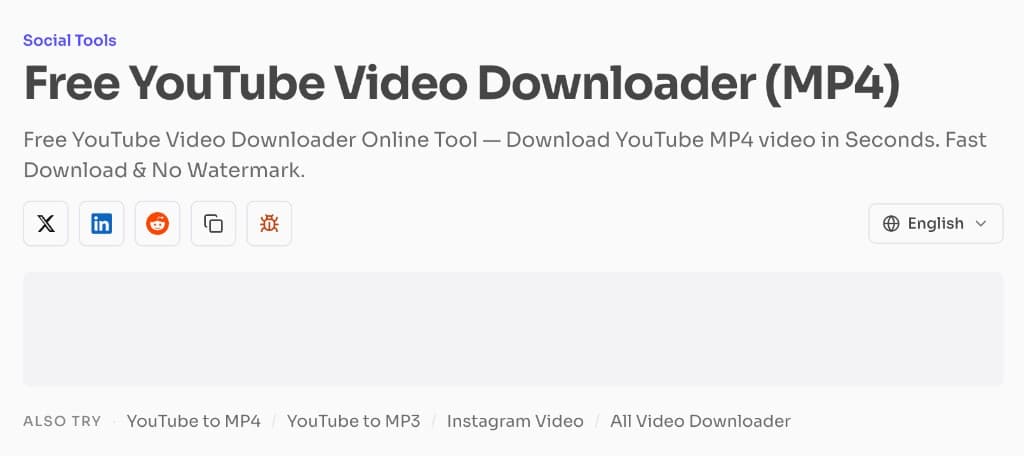
Open the YouTube Downloader tool on FrontendGeek. It runs in the browser — no desktop software installation required.
- 3
Step 3: Paste the YouTube URL
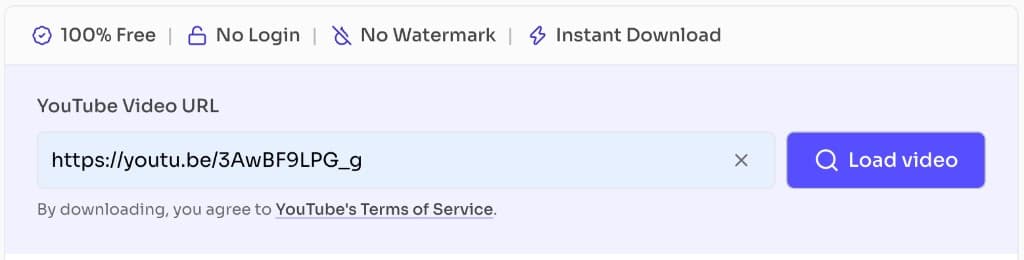
Paste the URL into the YouTube Video URL field and click Load video to start processing.
- 4
Step 4: Load the video details
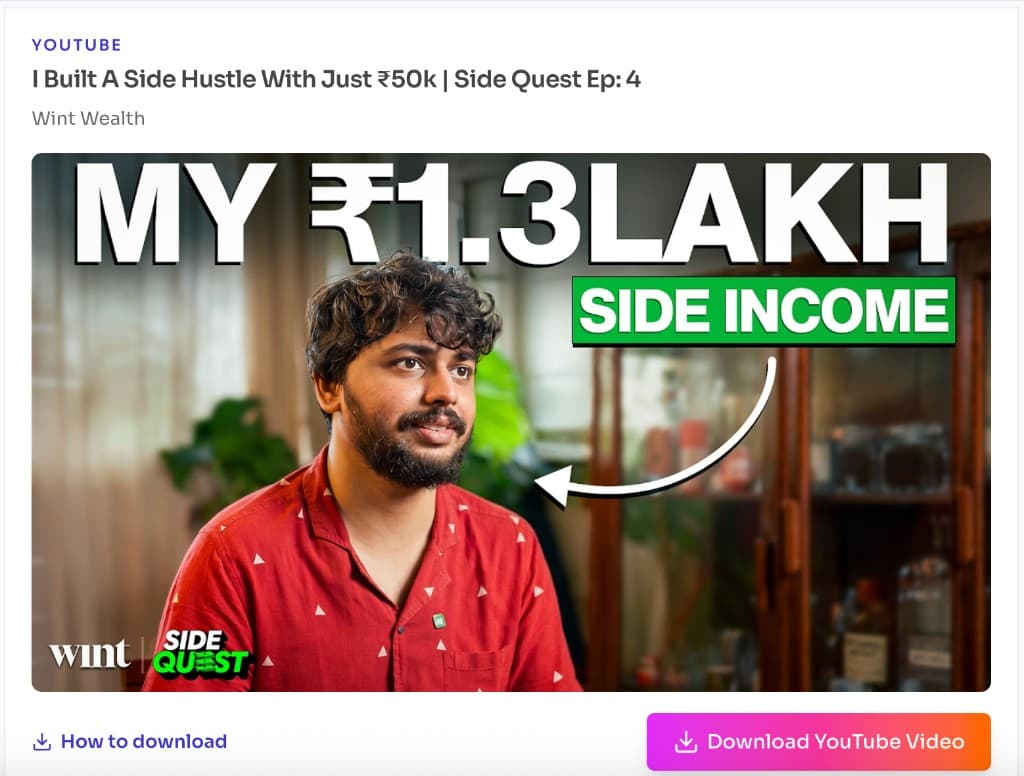
Confirm the title, channel, and thumbnail match the clip you intended, then click Download YouTube Video to open the quality options.
- 5
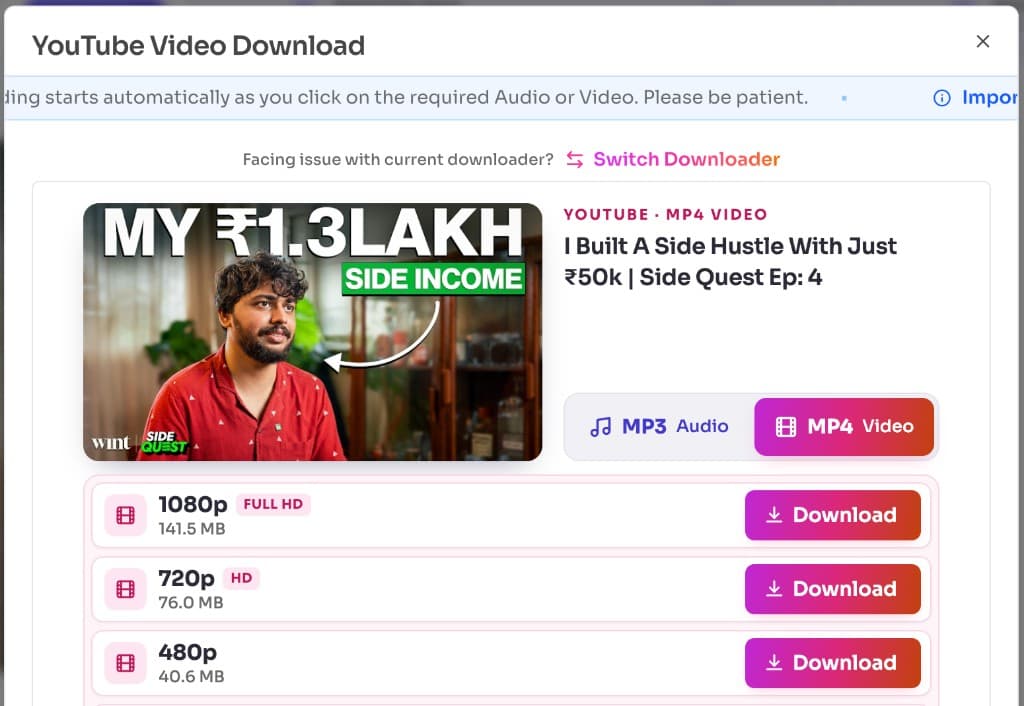
Step 5: Choose the video quality and download
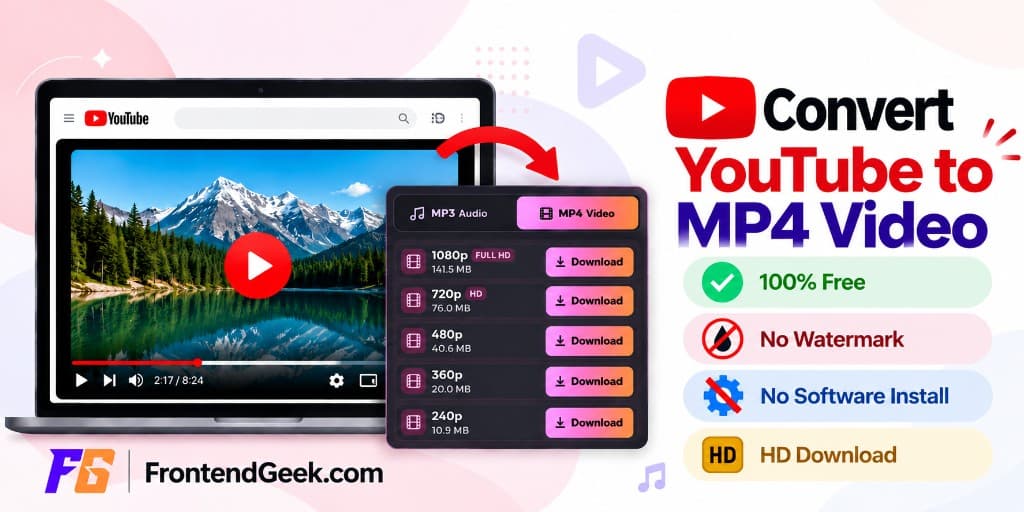
Pick an available MP4 quality such as 1080p Full HD, 720p HD, or 480p, then click Download. Stay on the page until Instant Download finishes and the file saves to your Downloads folder.
Try the Free Downloader
Free browser tool · No extra software · Instant Download MP4
Open Free DownloaderDownload YouTube Videos on a Phone - Android / iPhone
You can download with youtube link on mobile too. Copy the YouTube URL in the app or browser, then open FrontendGeek in Chrome (Android) or Safari (iPhone / iPad).
- Android: copy the URL → open FrontendGeek in Chrome → paste → choose quality → Download
- iPhone / iPad: copy the URL → open FrontendGeek in Safari → paste → choose format → save from Downloads / Files
- Sign in with a free FrontendGeek account when Instant Download asks for it
- Prefer MP4 for gallery apps, CapCut, and WhatsApp
Download YouTube Videos on a Windows or Mac
On a Windows PC or Mac, open FrontendGeek’s YT downloader in Chrome, Edge, Safari, or Firefox — no desktop installer required. Chromebook works the same way in Chrome.
| Method | Software Required | Works on Mobile | Free |
|---|---|---|---|
| FrontendGeek (browser) | No | Yes | Yes |
| Desktop software | Usually | No | Varies |
| YouTube Premium offline | No | Yes | No |
Understand YouTube Video Quality - Full HD / 4K / HD
After you download youtube MP4 and the preview loads, FrontendGeek lists the qualities available for that upload. Pick the option that matches your screen, storage, and connection.
| Quality | Label | Best For |
|---|---|---|
| 2160p | 4K | Largest screens / max detail |
| 1080p | Full HD | Best everyday quality |
| 720p | HD | Good balance |
| 480p / 360p | SD | Smaller downloads |
| 240p | Low | Very small files |
- 4K (2160p) — Ultra HD when the upload supports it; largest files
- Full HD (1080p) — Best everyday visual quality for most screens
- HD (720p) — Strong balance of clarity and file size
- SD (480p / 360p) — Smaller downloads for slower connections
- 240p — Lowest bandwidth when you only need a tiny file
Frequently Asked Questions
- Can I download YouTube videos for free?
Yes. You can download YT video for free when you own the content, have permission to keep it, or the creator makes it available for download.
- What is the easiest way to download a YouTube video?
Copy the YouTube URL, paste it into FrontendGeek, choose a quality, and Instant Download the MP4.
- Can I download YouTube videos without installing software?
Yes. FrontendGeek runs entirely in the browser — no desktop app or required extension.
- Can I download YouTube videos on my phone?
Yes. Use Chrome on Android or Safari on iPhone / iPad with the same paste-and-download flow.
- Can I download YouTube videos in 1080p or 4K?
When the upload supports Full HD or 4K, those options appear in the quality list after you load the video. Availability depends on the source upload.
- Can I download YouTube videos as MP4?
Yes. MP4 is the standard Instant Download format. Prefer a YT MP4 download when you specifically want an MP4 file from a watch-page link.
- Where are downloaded YouTube videos saved?
Files save to your browser’s Downloads folder, or the Files app on iPhone / iPad.
- Is It Safe to Use an Online YouTube Downloader?
Prefer trusted HTTPS tools like FrontendGeek.com, skip fake download ads and pop-ups, avoid unknown installers or shady extensions, and do not share unnecessary personal information.
- Is Downloading YouTube Videos Legal?
Permissions matter. Safer cases include your own videos, content you have permission to download, or videos the creator makes available for download. Do not re-upload or commercially redistribute copyrighted videos without permission, and respect YouTube’s Terms of Service.
Final Thoughts
A quick YT download using link is convenient for permitted YouTube content. Choose a quality that fits your screen and storage, prefer MP4 for compatibility, and respect copyright and creator permissions.
Need to download a permitted YouTube video?
Try Free DownloaderOther YouTube Tools
Explore more free FrontendGeek YouTube tools for downloads, thumbnails, and titles.
More Guides for Social Tools, AI Tools & Other Developer Tools
 How Free Online Tools Grow Organic Traffic
 How to Download Instagram Videos for Free
 How to Delete Instagram Account — Step by Step
 How to Convert Youtube to MP4 for Free
YouTube MP4 Download Not Working [Troubleshooting]
Understand Video Format & Quality — Best Video Quality to Download
MP4 vs WebM — Understand the Difference
MP4 vs MOV — Understand the Difference
Why Sometimes YouTube Downloads Have No Audio [Troubleshooting]
Or browse the full Tools How to Guide.
Found this guide useful?
Share it with someone learning YouTube downloads