
Newsletter
Stay Updated
Subscribe to FrontendGeek Hub for frontend interview preparation, interview experiences, curated resources and roadmaps.
Newsletter
Subscribe to FrontendGeek Hub for frontend interview preparation, interview experiences, curated resources and roadmaps.
Image Tools
Instantly upscale any JPG, PNG, WebP, HEIC image online using free Image Upscaler by 2x, 3x, 4x, 5x, percent & custom scale. Free, Fast & No Account Required.
Related
Overview
An online image upscaler enlarges a photo’s pixel dimensions so it looks bigger on screen, in mockups, or for print. FrontendGeek’s free Image Upscaler runs in your browser — no account required.
Choose 2x–5x, 125%–500%, or a custom scale. Preview the new width and height, then download instantly.
JPG, PNG, WebP, HEIC, and other images stay on your device. Need a tighter frame first? Use the Image Cropper.
How to use
Upload a JPG, PNG, WebP, GIF, or BMP image. Need PNG from a JPEG first? Use the JPG to PNG converter.
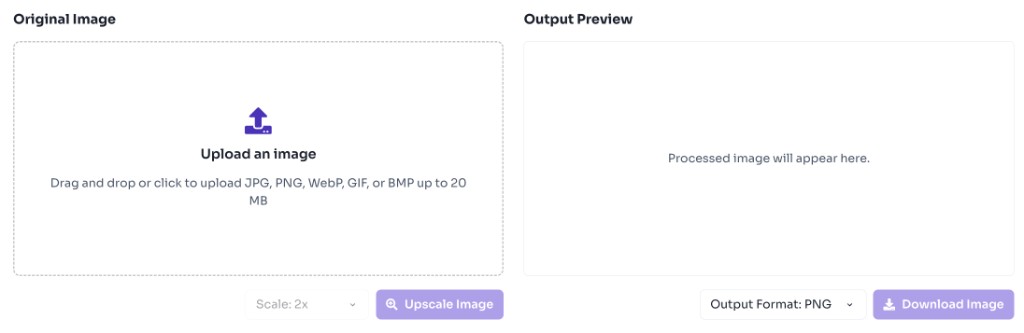
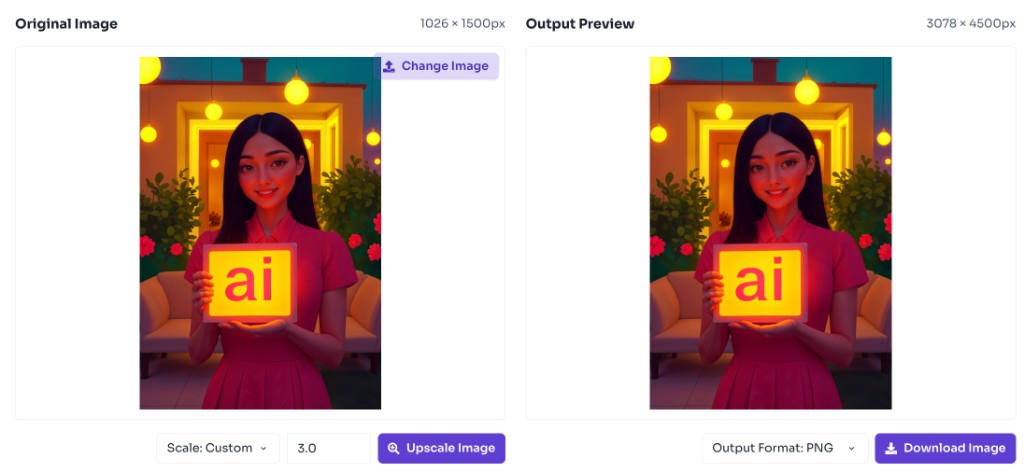
Select 2x–5x, 125%–500%, or a custom factor/percent. The tool uses browser image interpolation and shows the output dimensions before you download.
Preview the upscaled result and download it instantly.
Why use it
An online image upscaler is useful when you have a usable image but need a larger version for display, export, or presentation without starting from scratch. To trim the frame first, use the Image Cropper. To set exact pixels, use the Image Resizer.
Features
Enlarge quickly with common scale factors for mockups, screenshots, and social assets.
Scale by 125%, 150%, 200%, 300%, 400%, 500%, or enter a custom percent.
Enter any scale from about 1.01x to 10x when a preset is not enough.
See original versus new width and height before you download.
Upload JPG, PNG, WebP, HEIC, and similar formats, then download the enlarged result as PNG.
Images stay on your device — no upload, account, or watermark required.
FAQ
Quick answers about Image Upscaler.
Browser upscaling smooths pixels but cannot invent missing detail like dedicated AI models. Best for moderate enlargements.
Help others discover this free tool
Explore