
Newsletter
Stay Updated
Subscribe to FrontendGeek Hub for frontend interview preparation, interview experiences, curated resources and roadmaps.
Newsletter
Subscribe to FrontendGeek Hub for frontend interview preparation, interview experiences, curated resources and roadmaps.
Image Tools
Pick multiple colors from any image online for free using Image Color Picker. Upload a photo, click any pixel, and copy HEX, RGB values instantly.
Related
Overview
An online color picker from an image lets you sample the exact pixel under your cursor — the same idea as an eyedropper in design apps — and returns ready-to-use HEX and RGB values.
Upload a photo, click any point, and save up to 4 colors in the strip. Copy HEX and RGB together for each swatch — no account or desktop app required.
JPG, PNG, WebP, and similar images stay on your device. Need a negative-style edit instead? Use the Image Color Inverter. Prefer a tighter frame first? Try the Image Cropper.
How to use
Click Upload file or drag and drop a JPG, PNG, WebP, or other image. Need PNG from a JPEG first? Use the JPG to PNG converter.
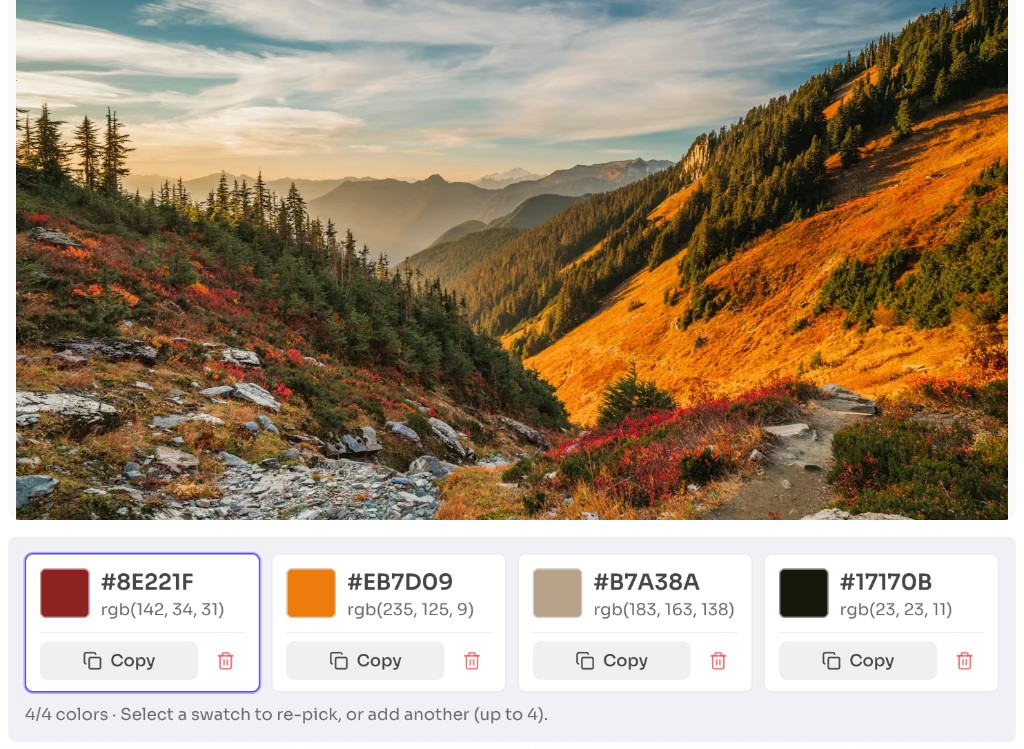
Click anywhere on the image to sample that pixel. Add up to 4 colors and select a swatch to re-pick it.
Copy HEX and RGB for each picked color to use in your design or code. Need a different size after? Use the Image Resizer.
Why use it
Use an image color picker whenever you see a color you like but do not know its code. For other creative edits, try the Image Color Inverter or Pixelate Image Generator.
Features
Click any point on the image to read the exact color under the cursor.
Build a small palette in one session — add slots, re-pick a swatch, or remove colors you do not need.
Copy both HEX and RGB codes for each color in one tap.
Upload JPG, PNG, WebP, and similar formats, then copy the color codes you need.
Images stay on your device — no upload, account, or watermark required.
Pair with the Image Color Inverter or Pixelate Image Generator for more creative edits.
FAQ
Quick answers about Image Color Picker.
Help others discover this free tool
Explore