Free MKV to MP4 Converter
Free MKV to MP4 Converter Online — Convert MKV videos to MP4 instantly for better compatibility across browsers, devices, and media players. Fast, secure, browser-based, and no watermark.
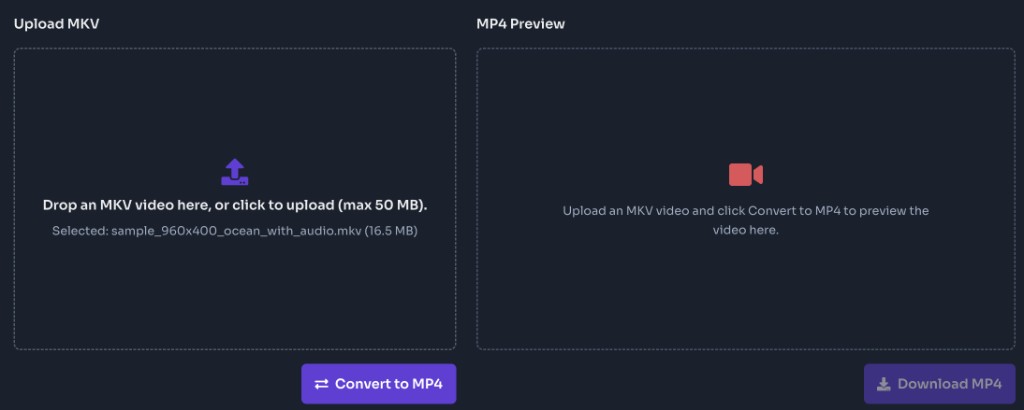
Drop an MKV video here, or click to upload (max 50 MB).
Upload an MKV video and click Convert to MP4 to preview the video here.
What is an MKV to MP4 Converter?
An MKV to MP4 converter is an online tool that turns Matroska (MKV) video into a downloadable MP4 file for wider playback support. FrontendGeek’s free MKV to MP4 converter runs in your browser: upload an MKV you own or have permission to use, convert on the server with FFmpeg, preview the MP4, then download. When possible the tool remuxes (copies) compatible streams to preserve quality; if remux is not possible it re-encodes with a balanced quality preset. No desktop codec packs, no browser extension, and no watermark added to the file.
Why use this MKV to MP4 converter online?
• Broader playback support than MKV on many phones, TVs, browsers, and apps
• Easier sharing and uploading to platforms that prefer or require MP4
• Remux when possible to preserve quality; re-encode only when needed
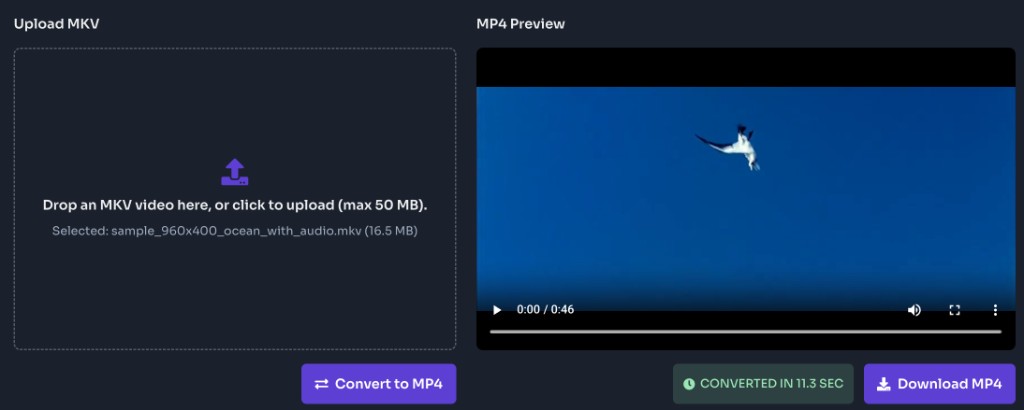
• Preview the converted MP4 in your browser before you download
• Works on desktop and mobile with a clear upload → convert → download flow
• Ideal for personal recordings, screen captures, and archives you have rights to convert
• FrontendGeek does not stamp a watermark on the downloaded MP4
How to Convert MKV to MP4 Online?
To convert MKV to MP4 online, upload an MKV file up to 50 MB, click Convert to MP4, wait for processing to finish, then preview and download the video. The converter remuxes streams into an MP4 container when codecs allow; otherwise it re-encodes so the file still plays widely. Use this when you already have the MKV on your device — for YouTube links, use the YouTube to MP4 Converter instead.
How to Use This MKV to MP4 Converter?
Upload your MKV video
Drag and drop an MKV into the Upload MKV panel, or click to browse. Only Matroska / MKV video is accepted on this page. Maximum upload size is 50 MB per file.
Convert to MP4
Click Convert to MP4 to send the file for server-side conversion. The tool remuxes when possible or re-encodes when needed, then prepares an MP4 you can preview and save. Keep the tab open until processing completes.
Preview the video
When conversion finishes, the MP4 Preview panel plays your clip. Watch once to confirm picture, sound, and that you converted the right file.
Download the MP4
Click Download MP4 to save the file to your device. The download uses a clean filename based on your upload so it is easy to find in your downloads folder.
Top Features of Our MKV to MP4 Converter
Simple Browser Upload
Drop an MKV or click to upload. No desktop codec installs and no browser extension required.
Fast Online Conversion
Server-side FFmpeg remuxes or re-encodes quickly so you can preview and download without waiting on a heavy local encode.
Quality-Preserving Remux
When streams can be copied into MP4, quality is preserved. If remux fails, the tool re-encodes with a balanced quality preset.
In-Browser MP4 Preview
Play the converted video before saving so you can verify picture and audio at a glance.
Desktop & Mobile Friendly
The same upload-and-convert workflow works in modern browsers on phones, tablets, and desktops.
Free to Use
Convert MKV to MP4 online for free with clear file-type guidance, a 50 MB upload limit, and no FrontendGeek watermark.
Frequently Asked Questions - FAQs
Is this MKV to MP4 converter free?
Yes. FrontendGeek’s MKV to MP4 converter is free to use online. Upload a supported MKV, convert, preview the video, and download the MP4 with no watermark added by FrontendGeek.
How do I convert MKV to MP4?
Upload an MKV file up to 50 MB, click Convert to MP4, wait for processing, preview if you want, then click Download MP4.
What files can I upload?
MKV / Matroska video only. Other containers (MP4, MOV, AVI, etc.) are not supported on this page — use the matching converter when available.
What is the max file size?
50 MB per upload. For larger videos, compress or trim the file first, or split long recordings into smaller clips.
Will quality drop when converting MKV to MP4?
When streams can be copied (remux), quality is preserved. If remux is not possible, the tool re-encodes with a balanced quality preset. Very unusual codecs may fail or need a different source file.
Can I convert a YouTube link with this tool?
No. This page converts MKV files you upload from your device. To get video from a YouTube URL, use the YouTube to MP4 Converter linked above.
Does conversion keep working if I close the tab?
Keep the tab open until conversion finishes and the download starts. Closing the page early can interrupt processing or the download.
Is it legal to convert MKV to MP4?
Only convert media you own or have permission to use. Respect copyright and local laws. FrontendGeek provides the technical tool; you are responsible for lawful use of any converted files.
More Tools
Discover more free tools to boost your productivity
Twitter Video
LinkedIn Banner
Base64 String
data:application/pdf;base64,JVBERi0...