
Newsletter
Stay Updated
Subscribe to FrontendGeek Hub for frontend interview preparation, interview experiences, curated resources and roadmaps.
Newsletter
Subscribe to FrontendGeek Hub for frontend interview preparation, interview experiences, curated resources and roadmaps.
Developer Tools
Free online color contrast checker tool to test accessibility compliance. Check if your text and background colors meet WCAG AA and AAA standards. Get instant contrast ratios and accessibility recommendations.
Related
Overview
The strongest color contrast pairs use dark text on light backgrounds for light mode, and light text on dark backgrounds for dark mode. Every combination below meets WCAG AA for normal text (4.5:1 or higher), and most reach AAA (7:1 or higher). Use these palettes as starting points for body copy, headings, buttons, and navigation — then verify your exact shades with the checker above.
The strongest color contrast pairs use dark text on light backgrounds for light mode, and light text on dark backgrounds for dark mode. Every combination below meets WCAG AA for normal text (4.5:1 or higher), and most reach AAA (7:1 or higher). Use these palettes as starting points for body copy, headings, buttons, and navigation — then verify your exact shades with the checker above.
Aa Bb Cc
The quick brown fox jumps over the lazy dog.
Black on White
#000000#FFFFFFAa Bb Cc
The quick brown fox jumps over the lazy dog.
White on Black
#FFFFFF#000000Aa Bb Cc
The quick brown fox jumps over the lazy dog.
Charcoal on Snow
#1A1A1A#FAFAFAAa Bb Cc
The quick brown fox jumps over the lazy dog.
White on Charcoal
#FFFFFF#1A1A1AAa Bb Cc
The quick brown fox jumps over the lazy dog.
Dark Gray on Off-White
#333333#F5F5F5Aa Bb Cc
The quick brown fox jumps over the lazy dog.
Navy on White
#1E3A5F#FFFFFFAa Bb Cc
The quick brown fox jumps over the lazy dog.
White on Navy
#FFFFFF#1E3A5FAa Bb Cc
The quick brown fox jumps over the lazy dog.
Soft White on Dark
#F3F4F6#111827Aa Bb Cc
The quick brown fox jumps over the lazy dog.
Light Slate on Midnight
#E2E8F0#0F172AAa Bb Cc
The quick brown fox jumps over the lazy dog.
Dark Blue on Light Blue
#1E40AF#EFF6FFAa Bb Cc
The quick brown fox jumps over the lazy dog.
Deep Green on Mint
#14532D#F0FDF4Aa Bb Cc
The quick brown fox jumps over the lazy dog.
Dark Purple on Lavender
#4C1D95#F5F3FFHow to use
Use the color pickers or enter hex codes to select your foreground (text) and background colors. You can click the color swatch to open a visual color picker, or type hex codes directly (e.g., #000000 for black or #ffffff for white).
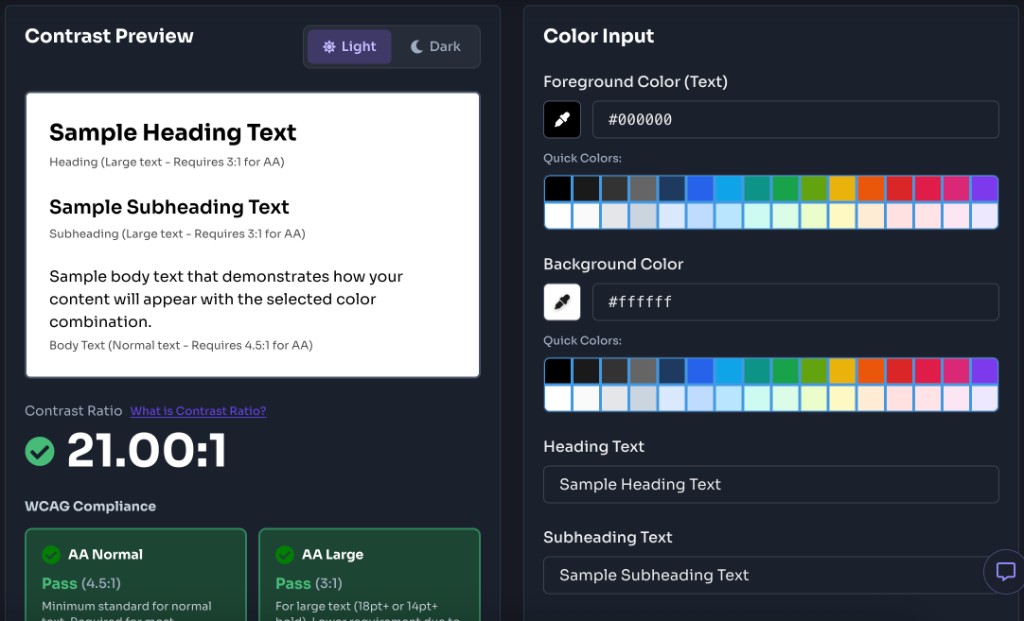
Select whether you're testing normal text or large text. Large text is defined as 18pt (24px) or larger regular text, or 14pt (18.5px) or larger bold text. Different WCAG standards apply to different text sizes.
Check the contrast ratio and WCAG compliance results. The tool will show you whether your color combination passes WCAG AA (minimum) and AAA (enhanced) standards for both normal and large text. You'll also see a live preview of how your text will appear.
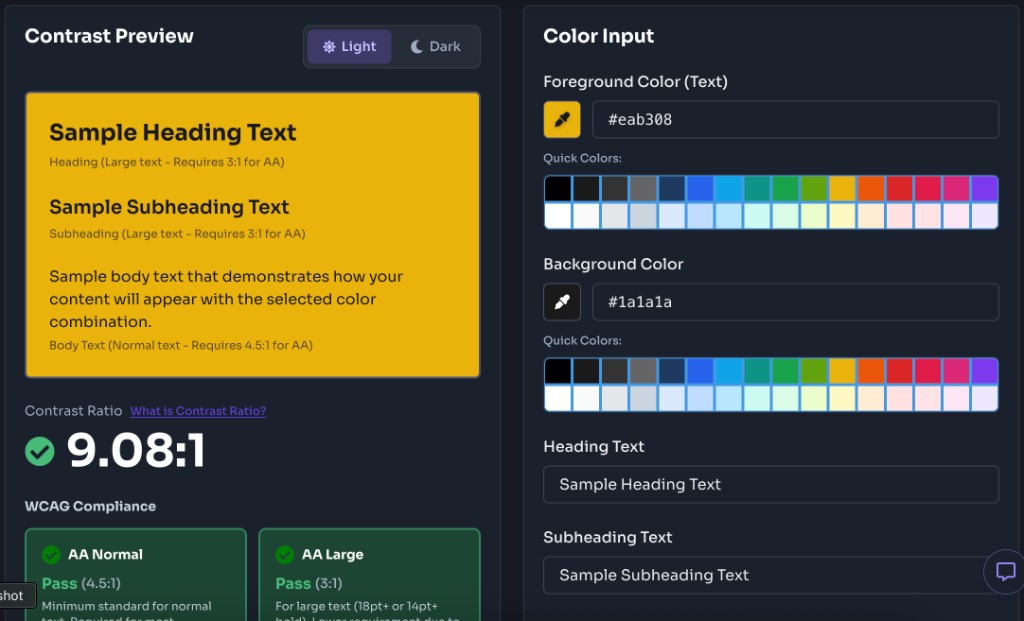
If your color combination doesn't meet the required standards, adjust either the foreground or background color until you achieve compliance. The tool updates in real-time, so you can see results instantly as you make changes.
Features
Instantly check if your color combinations meet WCAG 2.1 Level AA (minimum) and Level AAA (enhanced) standards for both normal and large text. Get clear pass/fail indicators for each compliance level.
Calculate precise contrast ratios using the WCAG 2.1 formula. See the exact ratio displayed as a number (e.g., 4.5:1) to understand how your colors compare.
See exactly how your text will appear with the selected color combination. The preview updates in real-time as you adjust colors, giving you immediate visual feedback.
Use the visual color picker for easy selection or enter hex codes directly. Both methods are supported, making it convenient for designers and developers alike.
Test both normal and large text sizes. The tool automatically applies the correct WCAG standards based on your text size selection, ensuring accurate compliance checking.
Completely free to use with no registration required. Test as many color combinations as you need without any limitations or hidden fees.
FAQ
Quick answers about Accessibility Color Contrast Checker.
WCAG (Web Content Accessibility Guidelines) is a set of international standards for web accessibility. Color contrast is crucial because it ensures that text is readable for users with visual impairments, including those with color blindness, low vision, or age-related vision changes. Without sufficient contrast, text becomes difficult or impossible to read, excluding many users from accessing your content.
Help others discover this free tool
Explore