
Guide
Facebook Video Download Without Watermark in HD (2026 Guide)
Updated Nov 21, 2026
Learn how to download Facebook videos without a watermark in HD. Save public Facebook videos, Reels, and posts as MP4 on Android, iPhone, Windows, and Mac.
People used to download Facebook video without watermark so they can watch videos, reels offline, edit them later, or share them outside the app on their stories, statuses as well. An online free facebook video downloader can help here in these downloads.
This guide covers step by step ways to download any public facebook videos and Reels for free.
How to Download Facebook Videos Without Watermark — Step by Step
You only need a public Facebook link and a browser. No app install is required.
- 1
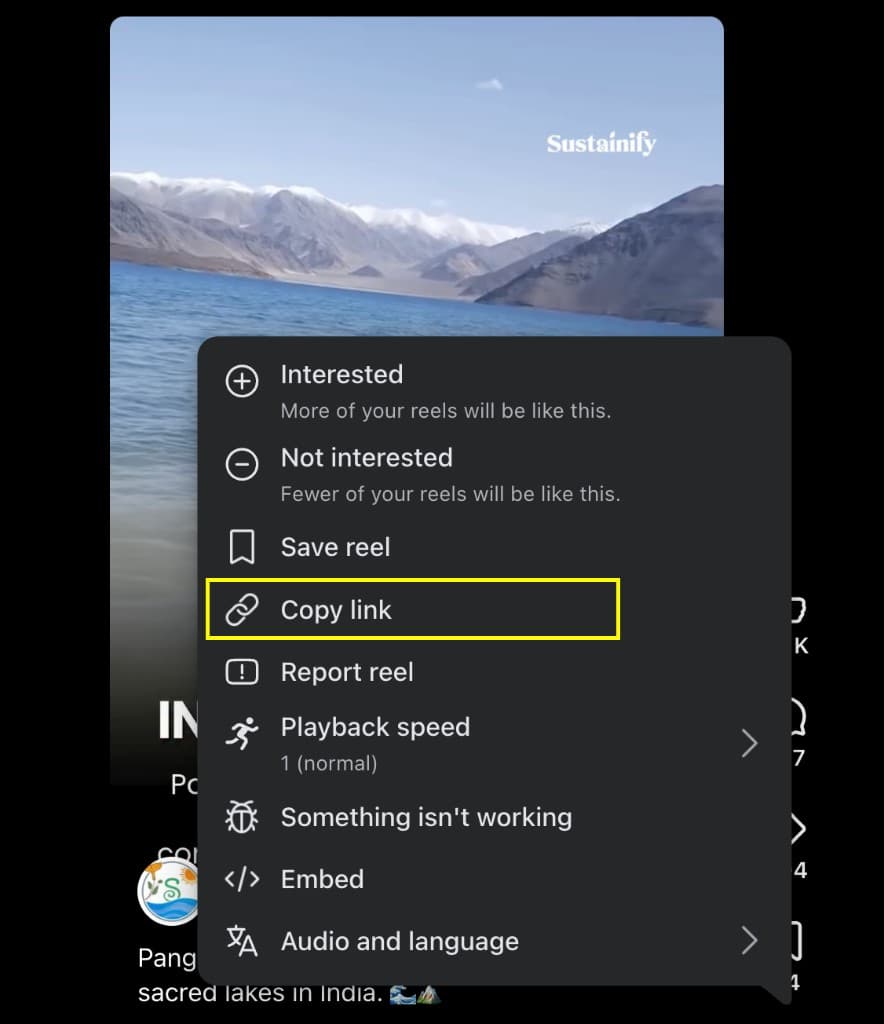
Step 1: Copy the Facebook video link
Open the Facebook video or Reel in the Facebook app or on facebook.com. Tap Share, then tap Copy link. Keep the full URL so the downloader can find the video.
- 2
Step 2: Paste the link into a Facebook video downloader
Open the Facebook Video Downloader. Paste the link into the Facebook URL field. Click Fetch video.

- 3
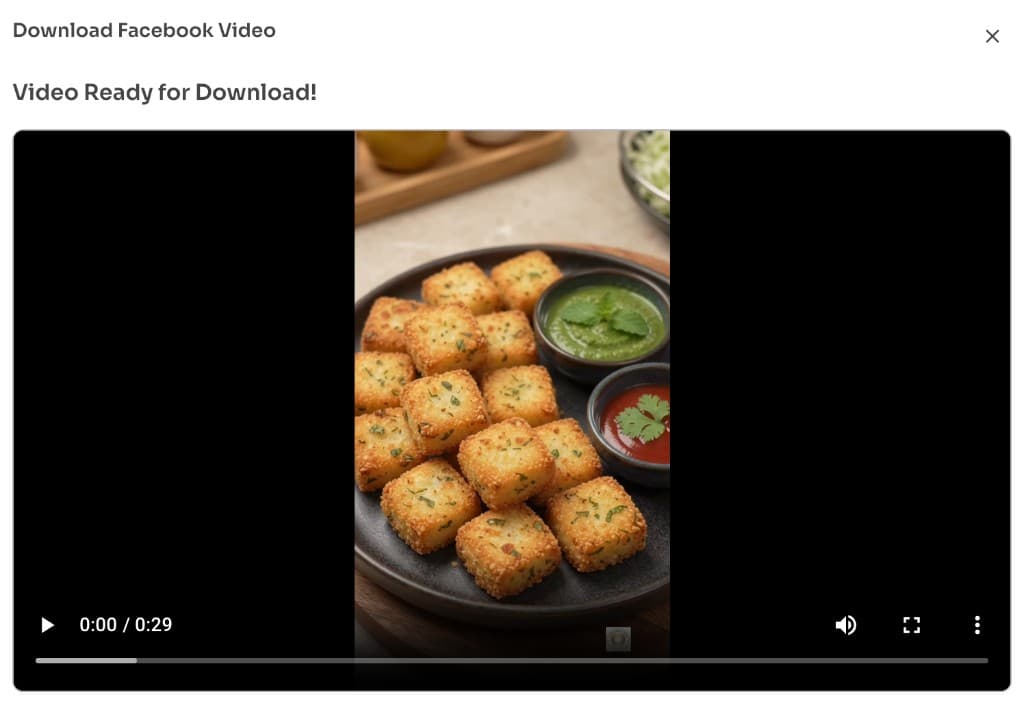
Step 3: Preview the Facebook video
Check the preview before you save. Make sure the title and clip match the video you meant to download.
- 4
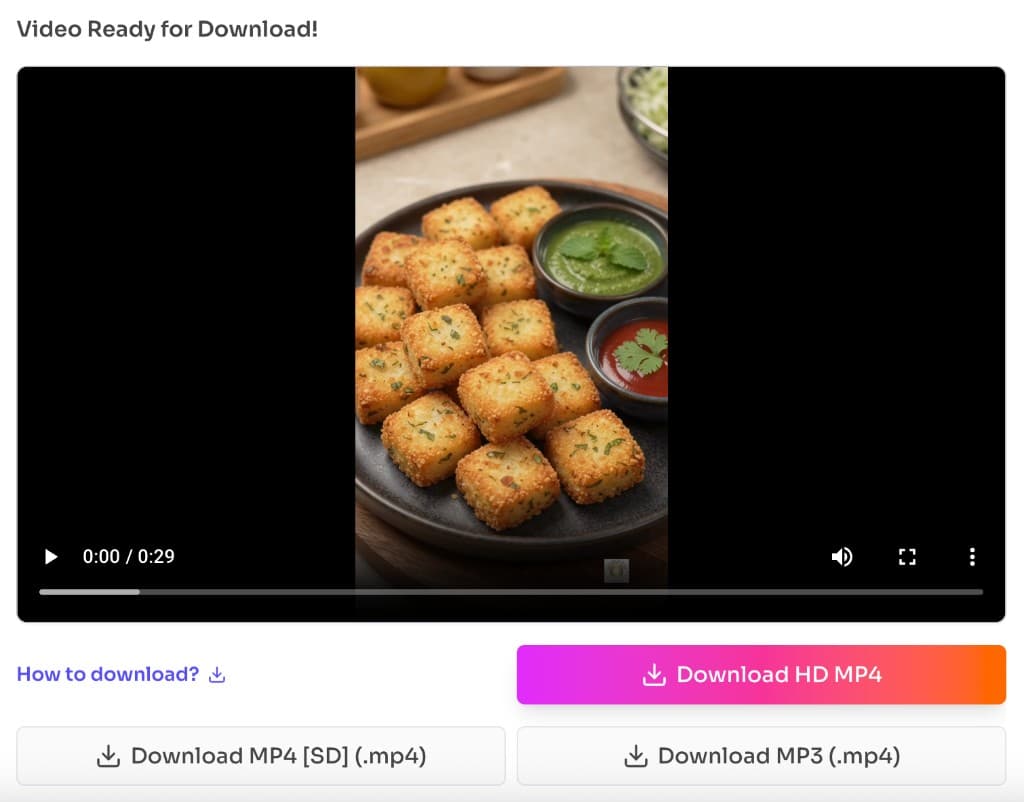
Step 4: Download and save the MP4 video
Click Download HD MP4. Wait until the file finishes saving. The MP4 is saved without a any watermark. FB video downlad also available in SD quality and MP3 only download as well.
Try Facebook Video Downloader
Free browser tool · Public videos & Reels · MP4 with no watermark
Facebook Video DownloaderWhy choose this FB video downloader over others
FrontendGeek’s Facebook Video Downloader keeps the flow short. Paste a link, preview, and download.
Free
You can download public Facebook videos online without paying for software.
No Watermark
The saved MP4 does not get a FrontendGeek watermark added on top of the video.
HD / 4K Quality
Choose the best quality Facebook makes available for that public video, including HD and 4K when offered.
No Extra Software Download
It runs in your browser on phone and computer. You do not need an APK, extension, or desktop installer.
Download FB Videos on major devices — Mobile & PC Guide
The same steps work on phones and computers. Copy the Facebook link first, then finish the download in your browser.
Download Facebook videos on Android
Copy the link in the Facebook app. Open Chrome. Paste it into the tool above. Download the MP4, then check Downloads or Files.
Download Facebook videos on iPhone (iOS)
Copy the link in Facebook. Open Safari. Paste the URL and download the MP4. Find the file in Files → Downloads.
Download Facebook videos on Windows
Copy the Facebook link. Paste it in Chrome or Edge. Download the MP4 to your Downloads folder in File Explorer.
Download Facebook videos on Mac
Copy the Facebook link. Paste it in Safari or Chrome. Save the MP4 to Finder → Downloads.
Common Facebook Video Download Problems and Solutions
If a download fails, start with the link and the video’s privacy settings. Most issues are easy to fix.
Facebook video link is not working
Copy the link again from Share → Copy link. Remove extra tracking text if the paste looks broken. Make sure the URL opens the video on Facebook first.
Video is unavailable or deleted
The post may be private, removed, or blocked in your region. Only public videos that still open on Facebook can be fetched.
Only SD quality is available
Some uploads only offer lower quality. Pick the highest option shown. Try again later if Facebook limited the formats for that clip.
Downloaded video has no sound
Download again and choose a quality that includes audio. Confirm your phone or player volume is on. Test the file in another player if needed.
Video is not saving to the phone
Allow downloads in the browser. Stay on the page until the save finishes. Check Downloads or Files, and avoid Private tabs that discard files.
Facebook Reel download is failing
Confirm you copied a Reel or video link, not a profile page. You can also try the Facebook Reel Downloader for /reel/ links.
Frequently Asked Questions
Common questions about Facebook Video Download Without Watermark in HD (2026 Guide)
- How can I download Facebook videos without a watermark?
Paste a public Facebook video link into the Facebook Video Downloader. Preview the clip, then download the MP4. FrontendGeek does not add a watermark to the saved file.
- Is it possible to download facebook Reels as well using Facebook video downloader?
Yes. Public Facebook Reels work with this flow. You can also use the Facebook Reel Downloader when you have a Reel link.
- Does this facebook downloader supports common devices like Android, iPhone, Mac & Windows?
Yes. It works in the browser on Android, iPhone, Mac, and Windows. No extra app install is required.
- Where is the downloaded facebook videos saved on device?
On Android and iPhone, check Downloads or Files. On Windows and Mac, check your browser’s Downloads folder.
- Do I need to install any extra app to download facebook videos?
No. Open the tool in your browser, paste the link, and download the MP4 online.
- Can I download videos from private Facebook accounts?
No. Only publicly available Facebook videos and Reels can be fetched. Private or restricted posts will not load.
- Does downloading a Facebook video reduce its quality?
The tool saves the quality Facebook makes available for that public video. Choose the highest option shown, including HD or 4K when Facebook offers it.
Other Facebook Tools
Download Facebook videos, Reels, and related social clips with these FrontendGeek tools.
Explore More Guides
 How to Download Instagram Reels for Free — Instant HD MP4 Download
 How to Download Instagram Videos for Free (Instagram to MP4)
 How to Delete Instagram Account — Step by Step Guide (2026)
Or browse the full Tools How to Guide.
Found this guide useful?
Share it with someone learning YouTube downloads